DESKTOP INSTALL · ~1:34
Install HomeOps step by step
Follow the Setup Assistant from the first choices through preflight, installation, pairing and the HomeOps web interface.
Photos, videos and important documents organized on hardware you control — searchable from a simple mobile experience without requiring a mandatory cloud.
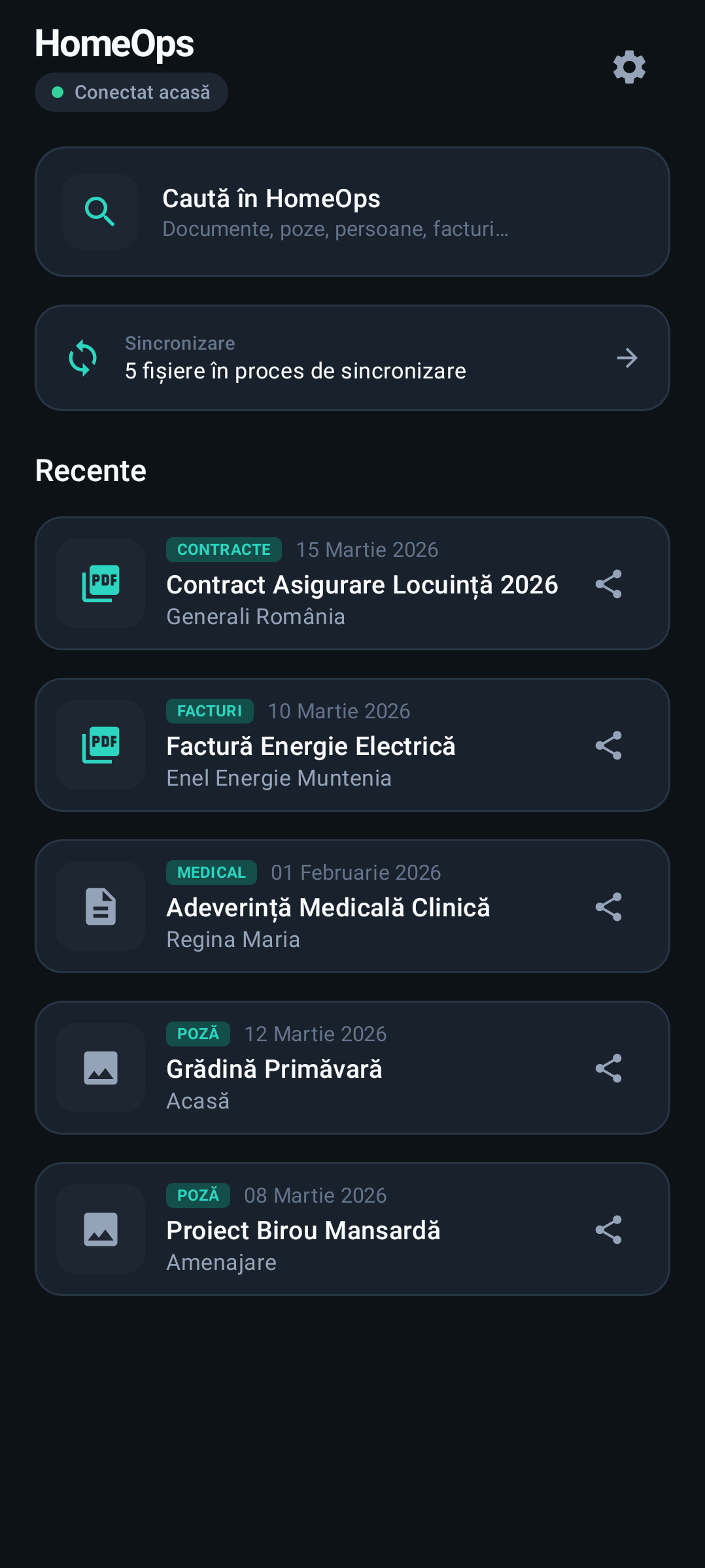
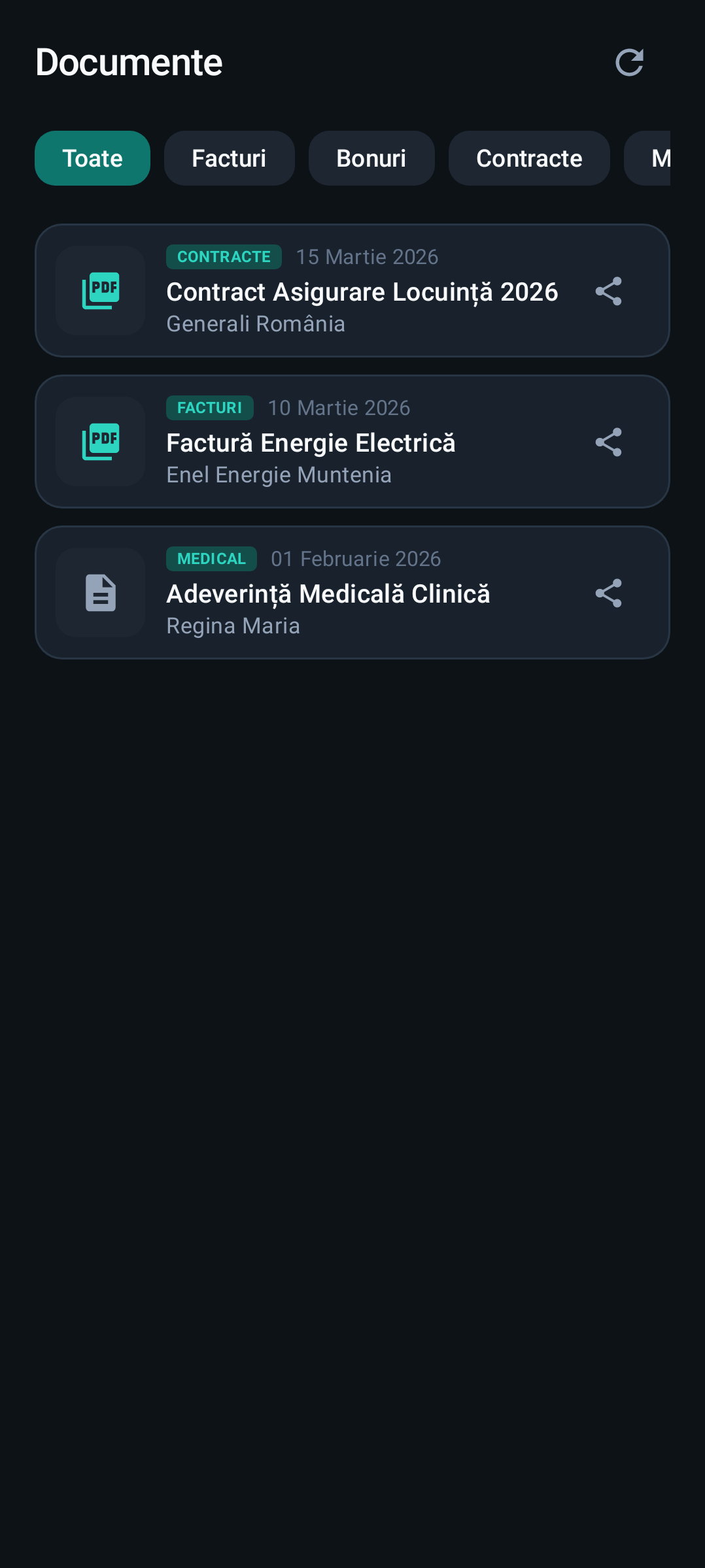
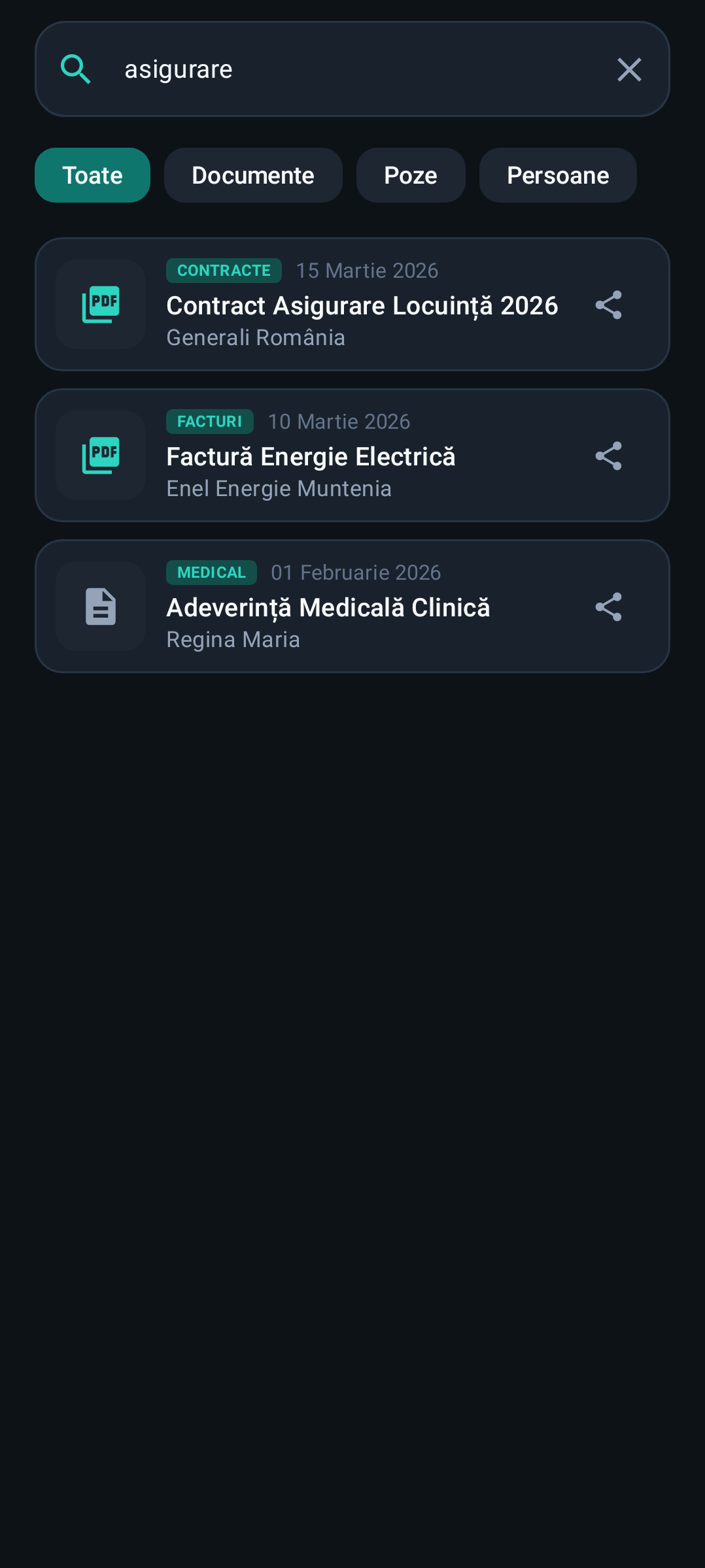
Two short real-product demos: first the guided desktop installation, then the Android experience after HomeOps is connected.
Follow the Setup Assistant from the first choices through preflight, installation, pairing and the HomeOps web interface.
See connection setup, the ready state, home screen, synchronization and search in the mobile app.
These screens come from the HomeOps Android test build. The content shown is synthetic test data, not a personal archive.
Run HomeOps on your own supported computer and choose where your archive lives.
HomeOps indexes media and documents so they can be organized and searched instead of left in folders.
Pair the Android app and browse your archive at home or remotely through the supported secure connection.
HomeOps focuses on finding, viewing and organizing the content families actually accumulate over years.
Browse media in a modern mobile experience, including recent items and memory-style views.
Group and browse photos around the people that matter to you, with corrections staying under your control.
Receipts, invoices and photographed documents can be classified and made easier to retrieve later.
Search across document titles, categories, photos and people from one interface.
Your primary archive stays on your own storage rather than requiring an external cloud library.
Connect back to your archive securely when you are away from home, with no public media library required.
HomeOps is planned with a 14-day trial. Longer-term licensing options are being prepared for public release. Final public pricing will be shown before paid availability.
No. HomeOps is designed around a local-first archive on hardware you control. Remote access does not require turning your archive into a public cloud library.
HomeOps has an Android companion app for browsing, search, documents, photos, people and synchronization.
Yes. The current design supports secure remote connectivity after the device is paired.
Not yet. We are completing acceptance and early-access preparation. Joining the list only tells us that you want to hear when access opens.
Found a bug, have a suggestion or need help? Email us and include what happened, what you expected and—if useful—a screenshot.
Email Lenqora supportlenqora.software@gmail.com